How to Choose a Database Service for Your Startup
A founder's guide to selecting the right managed database for your product. Covers data model fit, scaling characteristics, developer experience, and real pricing across the most popular serverless and managed database platforms.
Key Decision Criteria
Data Model Fit
High PrioritySupabase, PlanetScale, and Neon are all relational (SQL) databases — Supabase and Neon run Postgres, PlanetScale runs MySQL. Firebase is a document-oriented NoSQL database. If your data has clear relationships (users, orders, products), go relational. If your data is deeply nested or schema-less (chat messages, user activity feeds), NoSQL can be simpler.
Scaling Model
High PriorityPlanetScale offers horizontal sharding with non-blocking schema changes — ideal for high-write SaaS workloads. Neon provides serverless Postgres that scales to zero and branches for development. Supabase runs a single Postgres instance that scales vertically. Firebase auto-scales reads but can get expensive at high document counts.
Cost at Scale
High PriorityAll four offer generous free tiers. Supabase Free gives 500MB storage and 2GB bandwidth. Neon Free provides 0.5 GiB storage with autosuspend. PlanetScale's Scaler plan starts at $39/mo for 10GB. Firebase charges per read/write/delete operation, which can surprise you — a single page load triggering 50 document reads adds up fast.
Developer Experience and Ecosystem
Medium PrioritySupabase bundles auth, storage, edge functions, and real-time subscriptions on top of Postgres — a full backend-as-a-service. Firebase offers a similar all-in-one experience with Google Cloud backing. PlanetScale and Neon focus purely on the database, giving you more flexibility but requiring you to wire up other services yourself.
Questions to Ask Yourself
Do you need more than just a database?
If you want auth, file storage, real-time subscriptions, and edge functions bundled together, Supabase or Firebase save you from stitching multiple services. If you already have your backend figured out and just need a database, PlanetScale or Neon are leaner and let you avoid vendor lock-in on non-database features.
What's your expected read-to-write ratio?
Read-heavy apps (content sites, dashboards): All four handle this well, but Neon's serverless model means you pay nothing when nobody's reading. Write-heavy apps (analytics, logging, high-frequency updates): PlanetScale's horizontal scaling handles write throughput better than single-instance Postgres. Real-time apps: Supabase and Firebase both offer native real-time listeners.
How important is SQL and Postgres compatibility?
If your team knows Postgres and wants to use its full feature set (JSONB, full-text search, PostGIS, extensions), Supabase or Neon give you real Postgres. PlanetScale is MySQL-compatible with some constraints (no foreign key enforcement by default). Firebase requires learning its own query API, which is the steepest learning curve.
Red Flags to Watch For
Choosing Firebase for data with complex relationships and frequent joins
Firebase Firestore is a document database — it doesn't support joins. If your data model requires joining users to orders to products to reviews, you'll end up denormalizing everything and maintaining duplicate data. Use a relational database instead.
Ignoring egress and operation-based pricing until your first bill
Firebase charges per document read, and Supabase charges for bandwidth. A poorly optimized query that reads 10,000 documents per page load costs real money at scale. Run cost estimates with your expected traffic before committing — all four platforms have pricing calculators.
Picking a database because of its free tier without considering the upgrade path
Free tiers are great for prototyping, but check the jump to the first paid plan. Supabase Pro is $25/mo, Neon Launch is $19/mo, PlanetScale Scaler is $39/mo. Firebase pricing is usage-based with no fixed tiers, which can be cheaper or far more expensive depending on your access patterns.
Our Top Picks

Supabase
The open source Firebase alternative.
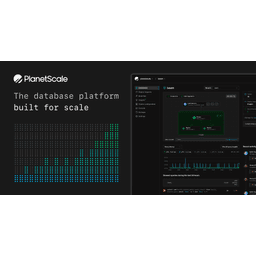
PlanetScale
Serverless MySQL platform with branching.

Firebase
Google's platform for building mobile and web apps.
Neon
Serverless Postgres with branching and autoscaling.

MongoDB Atlas
Cloud document database for modern applications.
Clerk
Authentication and user management for the modern web.

Auth0
Secure access for everyone. But not just anyone.
WorkOS
Enterprise-ready auth and directory sync.