How to Choose a Design Tool for Your Startup
Compare Figma, Canva, Framer, and Sketch to find the right design tool for your team. Evaluate based on your design maturity, collaboration needs, and whether you need UI design, marketing assets, or both.
Key Decision Criteria
Design Skill Level on Your Team
High PriorityCanva lets non-designers produce decent marketing assets with templates. Figma requires design skills but gives professional-grade output. Picking the wrong complexity level means your team either can't use the tool or is constrained by it.
Primary Use Case
High PriorityUI/UX design for your product requires Figma or Sketch with component libraries, auto-layout, and prototyping. Marketing assets like social posts and pitch decks are faster in Canva. Using Figma for social posts is overkill; using Canva for app design is insufficient.
Real-Time Collaboration
Medium PriorityFigma pioneered multiplayer design — multiple people editing simultaneously with live cursors. Canva now offers similar collaboration. Sketch remains primarily a solo tool with limited real-time features. Collaboration matters more as your team grows.
Developer Handoff Quality
Medium PriorityFigma's Dev Mode gives developers CSS values, spacing tokens, and asset exports directly from designs. Canva has no developer handoff features. If engineers build from your designs, Figma's handoff tools save hours of back-and-forth.
Questions to Ask Yourself
Do you have a dedicated designer, or are founders handling design?
Dedicated designer: Figma is the industry standard — they likely already know it. Founders doing design: Canva for marketing assets, Framer for website design with templates. Both: Use Figma for product and Canva for quick marketing needs.
Are you designing a software product interface or marketing materials?
Software UI: Figma is non-negotiable for professional product design with components, variants, and prototyping. Marketing materials: Canva's template library gets you 80% of the way with 20% of the effort. Both: Most startups use Figma + Canva together.
How often do you need to produce design assets?
Daily (social media, content marketing): Canva's brand kit and templates enable rapid production. Weekly (product iterations): Figma with a component library keeps designs consistent. Monthly or less: Don't invest heavily in design tooling yet.
Does your team use Mac exclusively or a mix of platforms?
Mac only: Sketch is an option if your designer prefers it, though Figma has largely replaced it. Mixed platforms: Figma and Canva are browser-based and work everywhere. Sketch is Mac-only with no Windows or Linux support.
Red Flags to Watch For
Using Canva to design your product's user interface
Canva is excellent for marketing but lacks the precision tools needed for UI design — no auto-layout, no component variants, no design tokens. Your product will look unprofessional and be impossible for developers to implement consistently.
Paying for multiple design tools when one would suffice
Many startups end up with Figma, Canva, Sketch, and Adobe subscriptions simultaneously. Audit your actual usage. Most early-stage startups need Figma for product design and Canva for marketing — nothing more.
Designer working in isolation without developer collaboration tools
If designs are handed off as static images or PDFs, you lose spacing, colors, and component structure. Figma's Dev Mode or inspect tools ensure developers implement designs accurately without constant back-and-forth.
Our Top Picks

Figma
The collaborative design tool for building products.
Canva
Design anything. Publish anywhere.

Framer
Design and publish stunning websites in minutes.
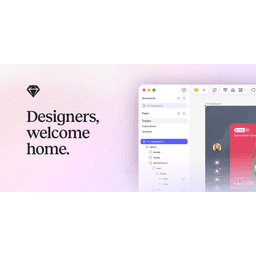
Sketch
Design toolkit for digital products.

Midjourney
AI image generation for stunning visual content.

Miro
The visual workspace for innovation.
Whimsical
The visual workspace for product teams.

Zeplin
Deliver on the promise of design.

Mobbin
Discover real-world design inspiration from 1,000+ apps

Anymark
Data-backed handcrafted logos and brand kits for startups.
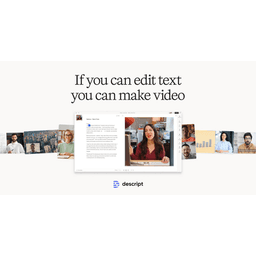
Descript
Edit video and audio like a doc.

Higgsfield AI
AI-powered camera control for filmmakers & creators

Lyssna
Fast, remote user research.

Maze
Rapid user testing platform.

Pexels
Free photos and videos.
Rive
Create interactive animations.
Spline
3D design for the web.

Unsplash
The internet's source for visuals.

UserTesting
See and hear from real people.
Webflow
Build professional websites without code.