How to Set Up a Customer Feedback Loop
Build a systematic process for collecting, organizing, and acting on customer feedback. Turn scattered input from support tickets, surveys, and conversations into a prioritized product roadmap.
Before You Start
- 1
Active users who interact with your product regularly
- 2
A product team or founder responsible for prioritization
- 3
At least one feedback channel already in use (support, email, etc.)
Step-by-Step Guide
Choose and set up your feedback collection tools
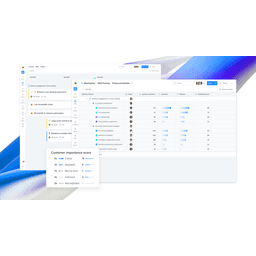
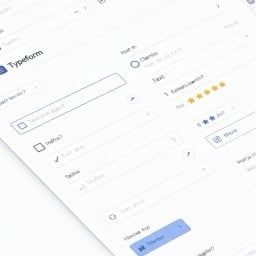
Canny provides a public feature request board where users can submit and vote on ideas. Productboard offers a more structured feedback management system with customer segmentation and prioritization frameworks. Typeform works well for targeted surveys and NPS collection. Set up at least two channels: a passive channel (in-app feedback widget or public board) and an active channel (periodic surveys or user interviews). Connect these to a central repository.
Make submitting feedback effortless. If it takes more than 30 seconds to share an idea, most users will not bother. An in-app button that opens a simple text field converts 5-10x better than emailing a feedback address.
Create a feedback taxonomy and tagging system
Define categories for organizing feedback: feature requests, bug reports, UX improvements, pricing feedback, and documentation gaps. Add priority tags based on impact and frequency. Tag feedback with the customer segment (enterprise, SMB, free tier) and the product area it relates to. This taxonomy lets you filter and analyze feedback by any dimension. Keep it simple: 5-7 categories and 3 priority levels.
The most valuable feedback is not 'add feature X.' It is understanding the underlying job the user is trying to accomplish. Always tag the user need alongside the specific request.
Set up automated feedback capture from existing channels
Pipe feedback from all your channels into one system. Forward tagged support tickets from Intercom or Help Scout to your feedback tool. Set up a Slack channel where the team can quickly log feedback from sales calls, user interviews, and casual conversations. Use a Zapier automation to capture NPS responses and route detractor feedback for immediate follow-up. The goal is to eliminate feedback that gets lost in Slack threads or email inboxes.
Train your support and sales teams to log feedback consistently. Create a simple template: customer name, segment, verbatim quote, interpreted need, and product area. Five seconds of structured logging saves hours of detective work later.
Run a weekly feedback review and prioritize
Every week, review new feedback with your product team (30 minutes max). Group similar requests together. Score each request on: frequency (how many users asked for this), impact (how much value it would deliver), effort (engineering and design cost), and strategic alignment (does it advance your product vision). Use a simple 2x2 matrix: high impact/low effort items go first. Update your public roadmap or changelog so users know their feedback was heard.
Close the loop with every user who submitted feedback. A quick message saying 'We heard you, here is what we are doing about it' builds incredible loyalty. Even 'We are not building this because...' is better than silence.
Measure the impact of feedback-driven changes
After shipping a change driven by user feedback, measure its impact: Did it improve the metric it targeted? Did the users who requested it engage with the feature? Did NPS or satisfaction scores improve? Track the percentage of your roadmap that is feedback-driven versus internally originated. Aim for 40-60% feedback-driven. Share wins with your users: 'You asked for X, we built it, and here is the result.'
Not all feedback should be acted on. Your job is not to build everything users ask for. It is to understand the underlying needs and find the solution that serves the most users while advancing your product vision.